
Installing APY Mount
·
Site Admin
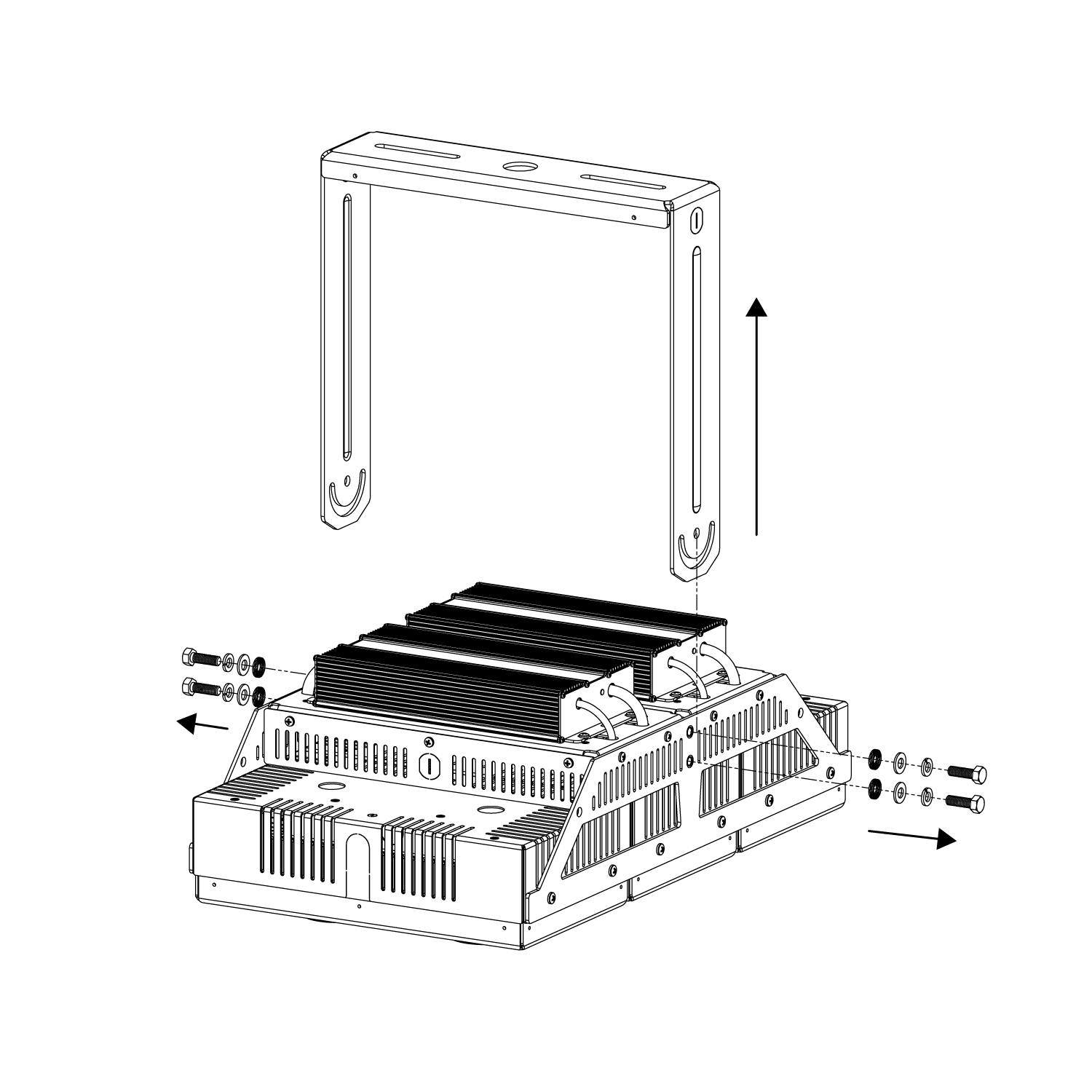
Step 1: Remove Existing Harp Mount
Remove (4) 5/16" bolts securing the harp mount.
Retain bolts/washers if required for reinstallation.
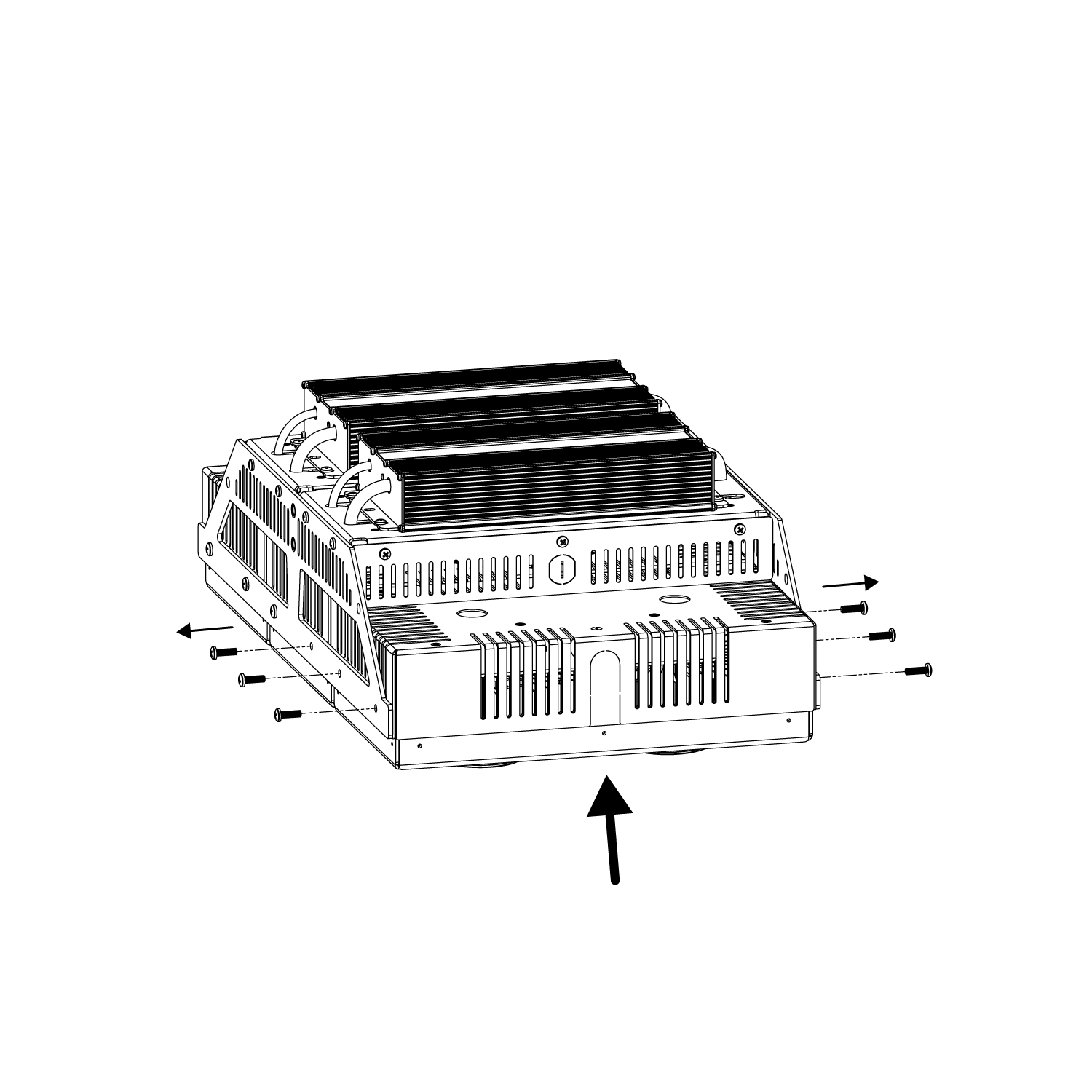
Step 2: Remove Existing Side Screws
Support the bottom of the fixture and remove (6) screws.
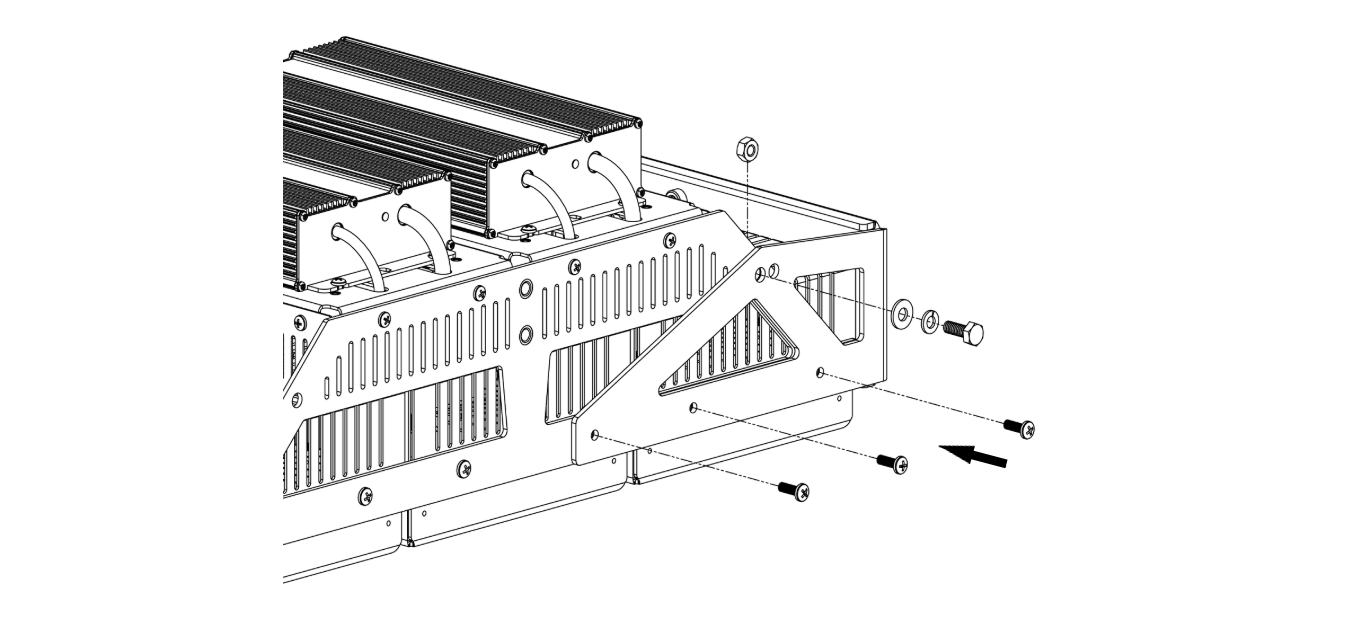
Step 3: Install New Mount
Insert supplied mounting bolt through side brackets, position new harp mount, and secure with remaining hardware.
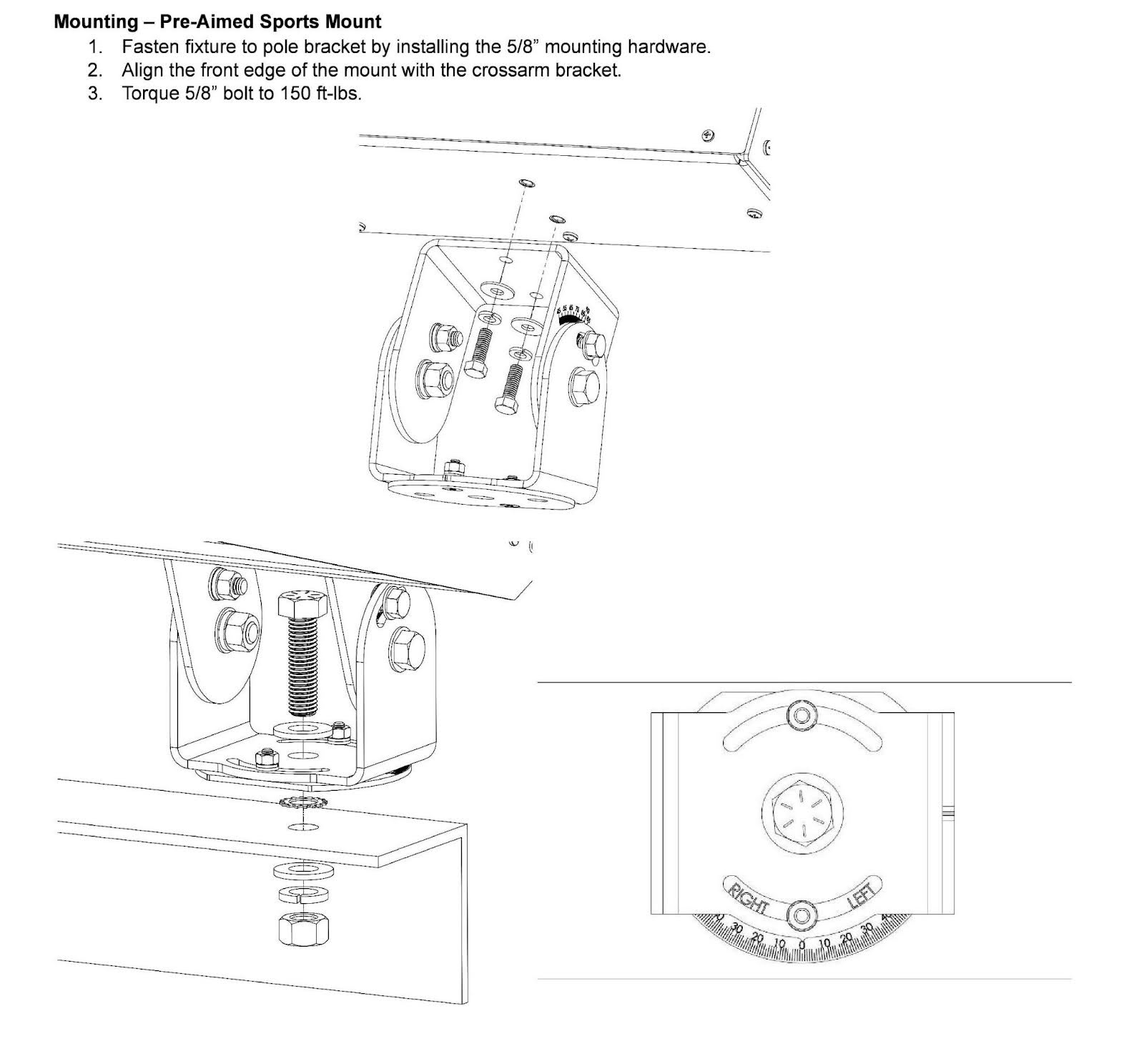
Step 4: Install APY Mount
Attach APY mount per existing instruction sheet.
Attachments
-
HD6-HRPA-APY Instructions.pdf 645.7 KB · PDF
▸ Preview inline ▾ Hide preview