
GFX System Installation
Overview
The GFX lighting control system comprises a central control console and individual antennas mounted on light poles, with each pole equipped with its antenna. The control console communicates wirelessly with each light pole. To ensure optimal system performance, a clear line of sight between the control console antenna and each light pole antenna is required.
Any obstructions—such as buildings, trees, fences, additional light poles, bleachers, or people—may negatively impact communication and system reliability.
Lighting Control Console Installation
The lighting control console can be installed either indoors or outdoors.
Outdoor Installation
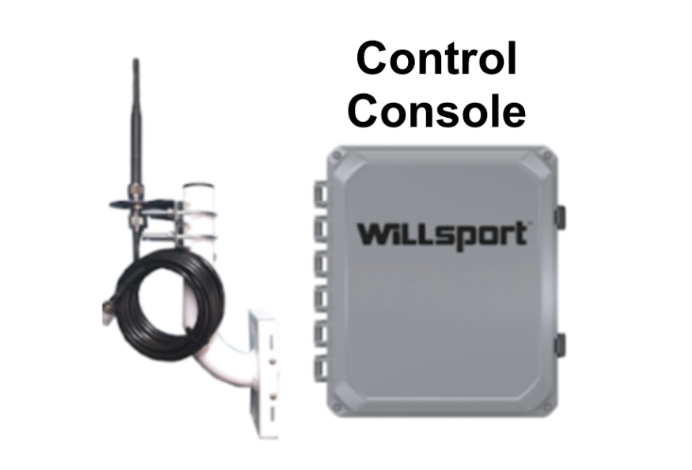
The console should be placed with an unobstructed line of sight to all light pole antennas. If a direct line of sight is not feasible, an antenna extension kit (including an antenna, cable, and mounting bracket) will be provided to establish proper connectivity.
Indoor Installation
When installing the console indoors, the building materials and wall thickness may impact wireless communication. In such cases, an external antenna extension kit may be required to ensure reliable system operation. When selecting an indoor installation location, consider the potential need for cable routing through interior or exterior walls. The same line-of-sight requirements as outdoor installations apply.
Light Pole Antenna Installation
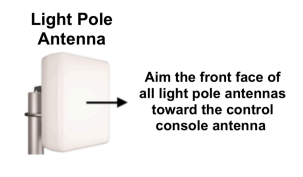
Each light pole antenna must be installed with the front side facing the lighting control console. To achieve this:
Position the antenna bracket assembly on the side of the light pole that faces the control console.
Secure the antenna by tightening the mounting bands.
By following these guidelines, you will ensure reliable communication between the lighting control console and each light pole antenna, optimizing system performance.
 |  |
Attachments
-
GFX Installation Instructions.pdf 395.4 KB · PDF
▸ Preview inline ▾ Hide preview